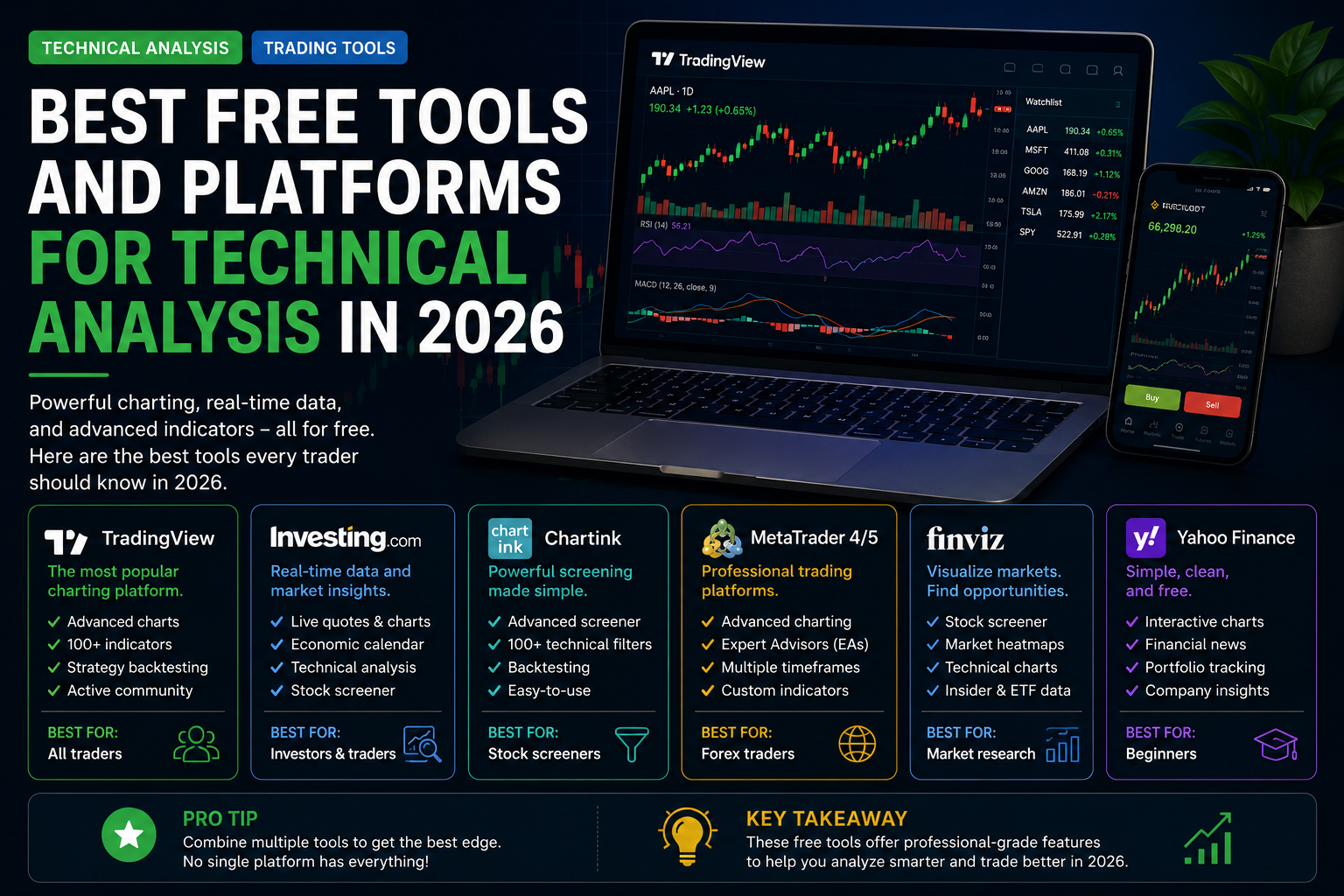
Having the right tools can significantly improve your trading efficiency without spending a dime. In 2026, there are excellent free (or generous free-tier) platforms that offer professional-level charting, indicators, screening, and backtesting capabilities.
This guide covers the best free technical analysis tools for stocks, forex, crypto, and futures, based on current features, usability, and trader feedback.
Important Disclaimer: Trading involves substantial risk of loss. Always verify current platform features and terms.
My Personal Perspective: How I Leverage Free Tools and Why Combining Them is Key
One of the most amazing things about trading today is how many powerful tools are available entirely for free. You honestly don’t need to pay hundreds of dollars a month for premium software subscriptions to get professional-grade data anymore. The free tiers of modern platforms give you almost everything you need to succeed.
However, if you are serious about your trading performance, you quickly realize that no single platform does everything perfectly. That is why I use a combination of free tools tailored to specific tasks: I rely on TradingView for clean technical chart layouts, Finviz for rapid stock screening, MetaTrader for trade execution, and Google Sheets or simple text files for tracking my trades. By stacking these free resources together into a seamless workflow, you build a robust trading environment without breaking the bank.
1. TradingView (Best Overall)
Why it’s #1: TradingView remains the gold standard for technical analysis. Its free tier is incredibly powerful.
Key Free Features:
- Advanced interactive charts with dozens of built-in indicators
- Pine Script for custom indicators and automated strategies
- Multiple timeframe analysis, drawing tools, Fibonacci retracements, and more
- Active social community sharing public ideas and scripts
- Stock screener, economic calendar, and customized watchlists
- Real-time data for many international markets
Best For: All traders — from beginners to advanced professionals working across stocks, forex, crypto, and futures.
Limitations: Limited number of indicators per chart and advertisements on the free plan.
2. MetaTrader 5 (MT5) – Best for Forex & Futures
Why it’s excellent: A completely free desktop, web, and mobile execution platform from MetaQuotes.
Key Free Features:
- Powerful native charting with over 80 built-in indicators
- Built-in strategy tester for robust historical backtesting
- Support for Expert Advisors (EAs) for algorithmic trading
- Multi-asset asset classes (forex, futures, equities, crypto)
- Depth of Market (DOM) and advanced conditional order types
Best For: Forex traders and algorithmic automation builders.
3. Finviz (Best Free Stock Screener + Charts)
Key Free Features:
- Incredible visual stock screener with performance heatmaps
- Basic technical charts and automated pattern recognition
- Futures and forex market heatmaps
- Essential news and fundamental filter metrics
Best For: Rapid market scanning and finding high-probability setups before digging deeper.
4. Yahoo Finance (Best Simple & Clean Option)
Key Free Features:
- Reliable real-time quotes and basic interactive charts
- Strong fundamental company data and earnings calendars
- Clean portfolio tracking features
- Extremely user-friendly interface for beginners
Best For: Beginners and long-term investors looking for clean simplicity.
5. Other Strong Free Options
- StockCharts.com: Great for classical technical analysis and educational chart studies.
- ProRealTime Web: Clean, ad-free charting with unlimited indicators (end-of-day data on free tier).
- Koyfin: Exceptional fundamental data and visual charts for market research.
- Thinkorswim (TOS): Professional-grade desktop tools for advanced US-based traders.
Bonus Free Tools for Your Workflow
- Economic Calendars: Investing.com or Forex Factory to track high-impact macro news.
- Backtesting: TradingView’s bar replay mode or MT5 Strategy Tester.
- Journaling: Google Sheets (custom spreadsheet templates) to log and review your metrics.
Recommended Setup for Most Traders (100% Free)
- Primary Charting — TradingView
- Screening — Finviz + TradingView Screener
- Execution — Broker’s platform (many seamlessly integrate TradingView)
- Journal — Google Sheets
- News & Calendar — Investing.com
Tips for Getting the Most Out of Free Tools
- Use multiple timeframes across platforms to confirm your structural bias.
- Learn keyboard shortcuts on TradingView to dramatically speed up your workflow.
- Save your favorite chart layouts, trendlines, and indicator templates.
- Join trading communities to share ideas, but always verify setups through your own analysis.
- Backtest your strategies thoroughly before risking real capital in the live markets.
Key Takeaways
- TradingView remains a clear winner for technical traders due to its massive feature set and user-friendly interface.
- You can build a complete, professional-grade technical analysis workflow without paying a single dollar in monthly software fees.
- Combining specialized free tools (like Finviz for screening and TradingView for charting) gives you the ultimate edge without unnecessary overhead.
- Focus on mastering one or two platforms deeply rather than jumping aimlessly between dozens of options.
- Combine these tools with proper risk management, a structured trading plan, and psychological discipline for long-term consistency.